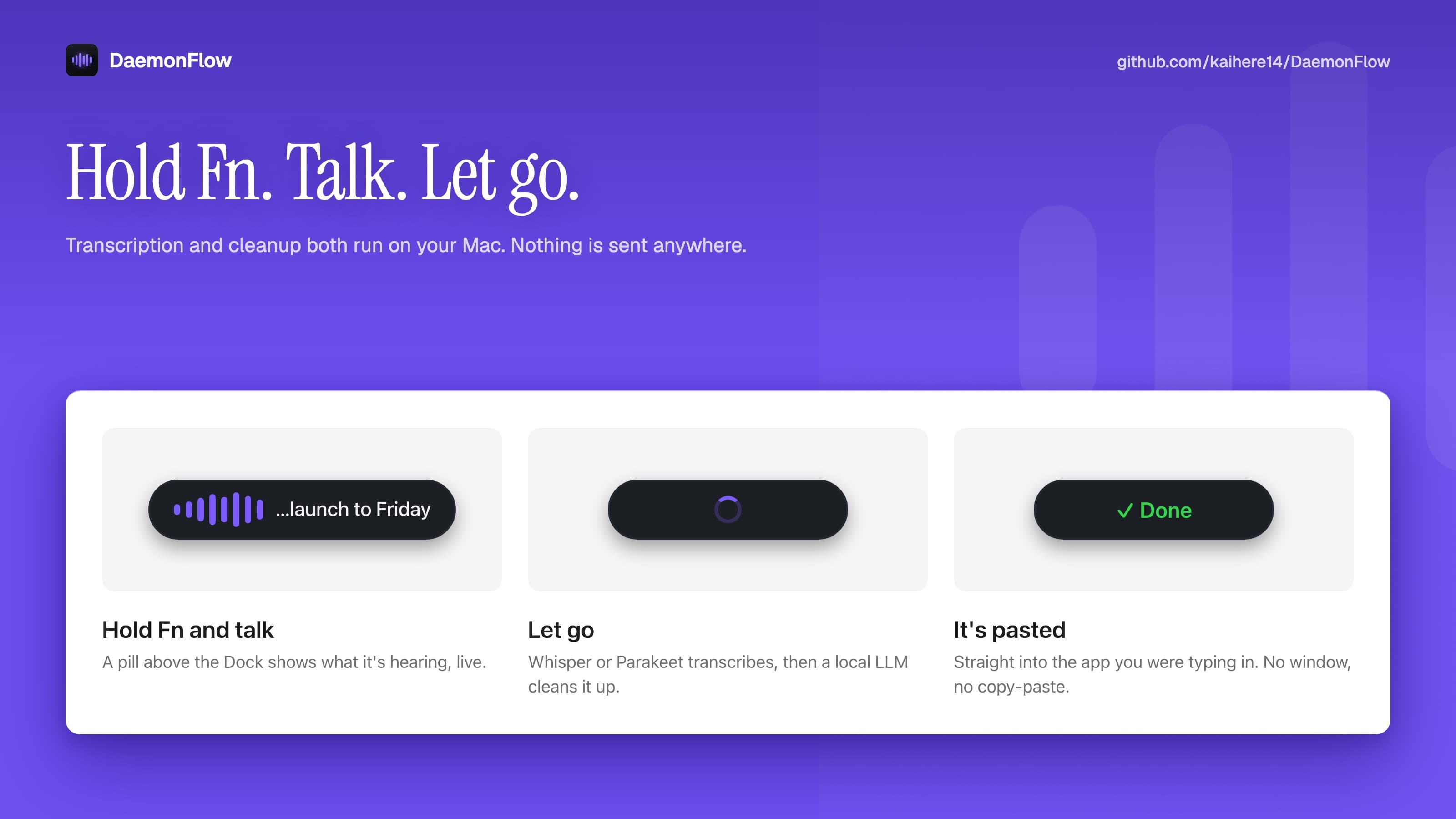
hold fn, talk, let go
A pill above the Dock shows what it's hearing while you talk. Let go and Whisper or Parakeet transcribes it, a small model on your Mac cleans it up, and the text is pasted into the app you were typing in.
voice to text that never leaves your mac
100% free, no account. macOS 27 or later on Apple Silicon.
Your words land here.
A pill above the Dock shows what it's hearing while you talk. Let go and Whisper or Parakeet transcribes it, a small model on your Mac cleans it up, and the text is pasted into the app you were typing in.
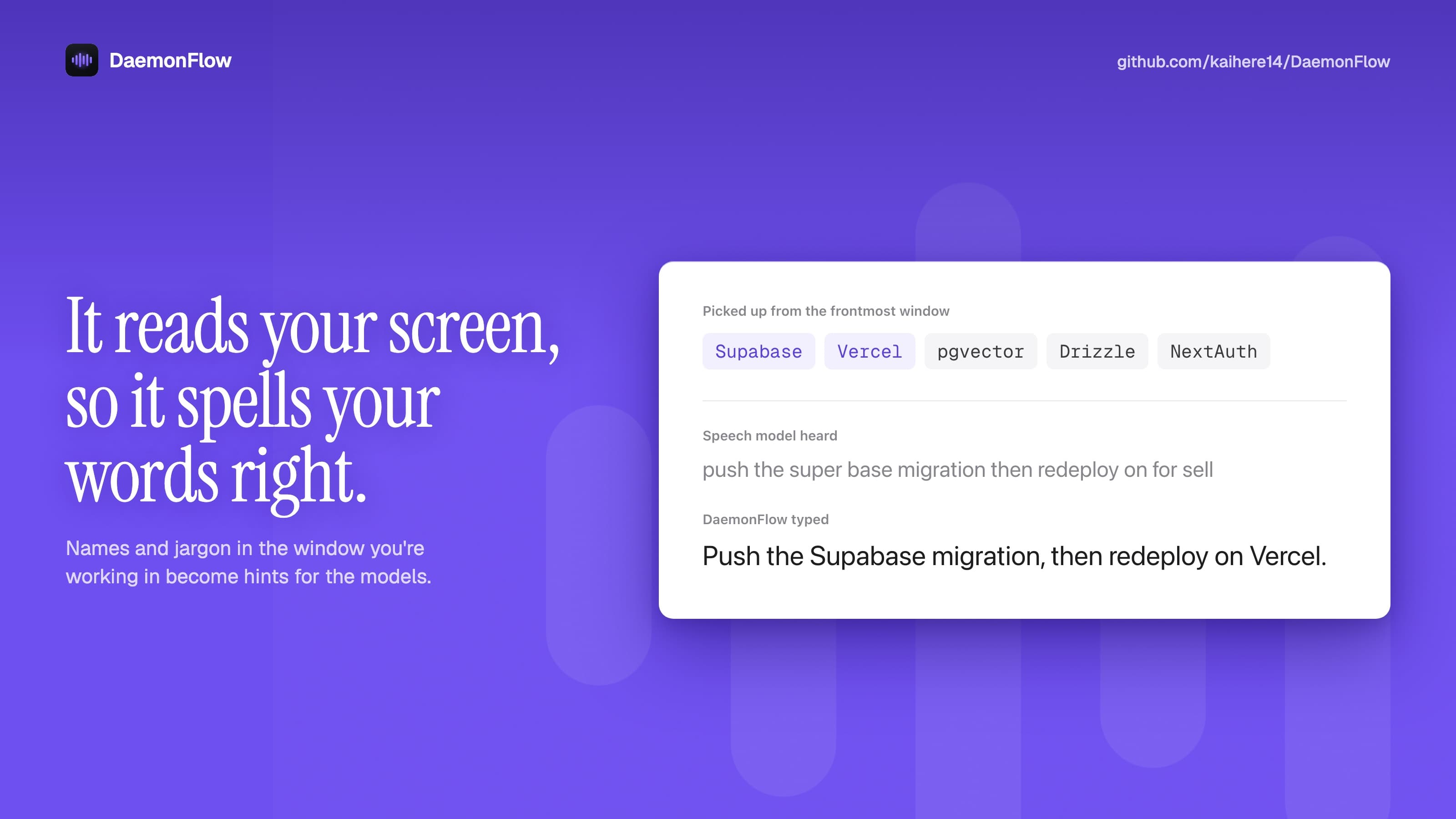
Names and jargon in the window you're working in become spelling hints. With Supabase on screen, you get Supabase, not "super base". Password fields are never read, and you can turn it off.
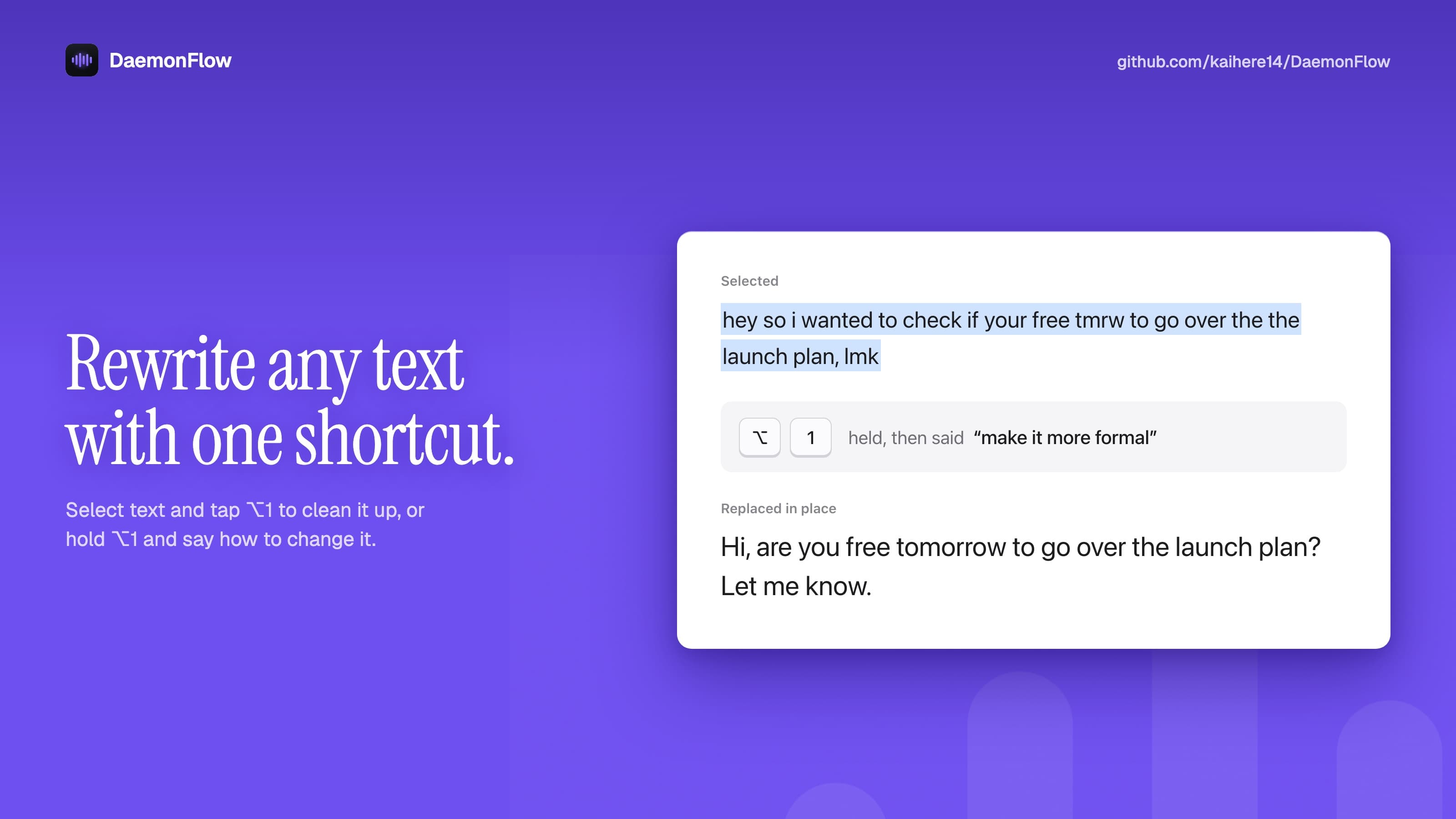
Select text in any app and tap ⌥1 to clean it up in place. Hold ⌥1 and say how you want it changed, like “make it more formal”.
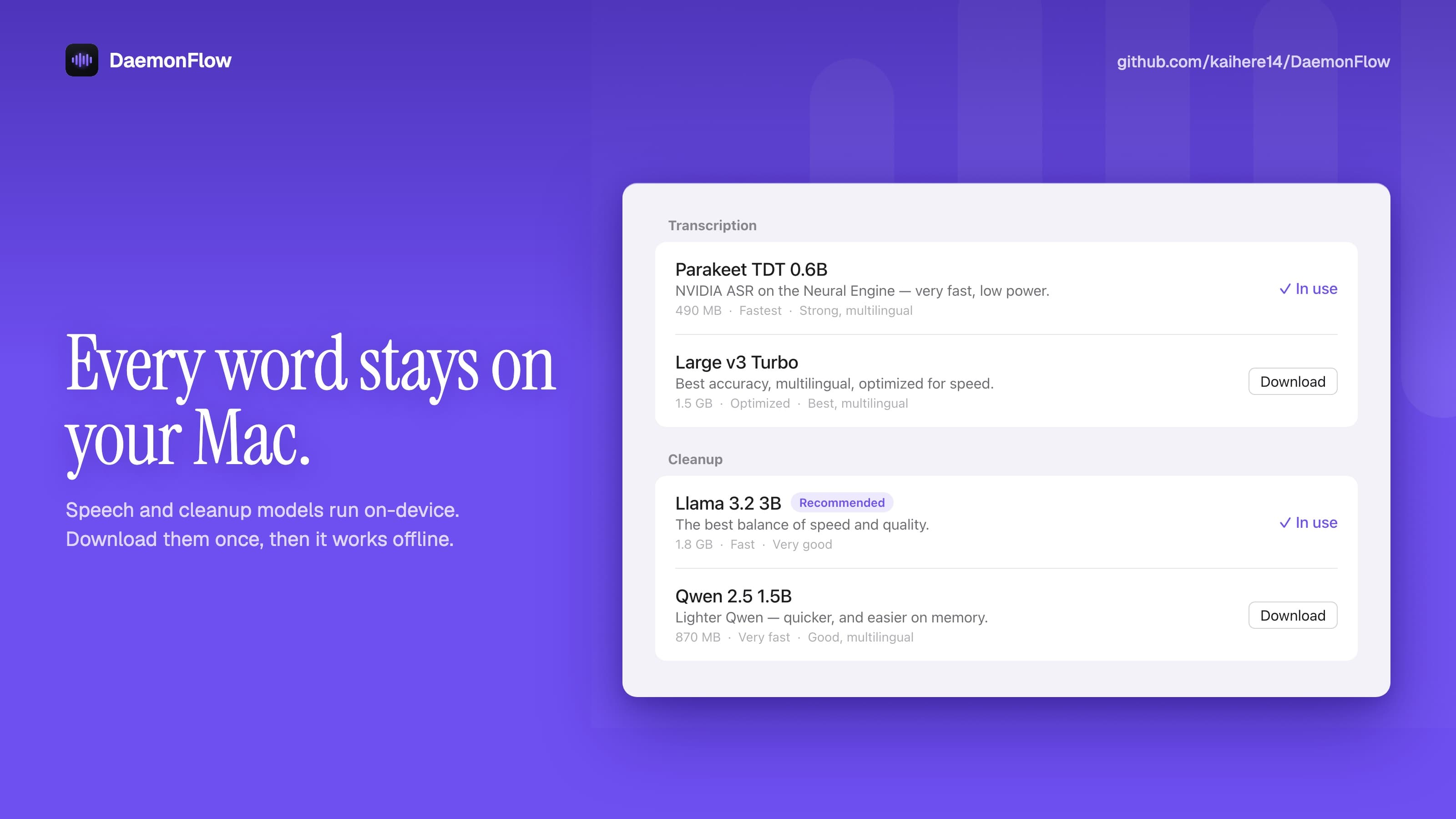
Speech and cleanup models run on your Mac. Download them once and it works offline, with no account and nothing sent anywhere.
I used Wispr Flow. It's good, but my voice went to someone else's server, and the free tier ran out fast.
So I built my own. Whisper or Parakeet hears you, a small model on your Mac cleans it up, and nothing ever leaves the machine.
I've dictated everything with it for the last couple of months, and I haven't missed the old one.
It's free. Try it and tell me what breaks.

Version 1.1.0
no account, no subscription, no word limit.
$0
forever, on your own Mac
download for mac< build it yourself >
$ git clone --recurse-submodules \
    https://github.com/kaihere14/DaemonFlow.git$ cd DaemonFlow$ ./scripts/build-whisper.sh$ ./scripts/build-and-install.sh
needs Xcode with the macOS 27 SDK and cmake.
The app isn't notarized yet: open it the first time with right-click, then Open.
what to know about daemonflow, privacy, and getting started.
A menu bar app for macOS that turns your voice into clean text. Hold Fn, speak, and let go: it transcribes what you said, removes filler words and false starts, fixes punctuation, and pastes the result into whatever app you're typing in.
No. Transcription, cleanup and screen awareness all run on your Mac. Audio is kept in memory and never written to disk. The only network access is downloading models from Hugging Face when you choose one.
No. It reads the text of the frontmost window only when you press Fn, keeps the unusual words as spelling hints for that one dictation, and skips password fields entirely. Turn it off under Vocabulary, Use text on screen.
Anything you can paste into. DaemonFlow pastes with Cmd+V and puts your clipboard back the way it was afterwards.
English for now. Transcription and cleanup are both tuned for it.
A Mac with Apple Silicon running macOS 27 or later, and room for the models you pick: from 75 MB for the smallest Whisper model to 4.5 GB for the largest cleanup model.
DaemonFlow isn't signed with a developer certificate yet, so macOS treats each new version as a different app. Remove it from Accessibility and Input Monitoring in System Settings, then add it again.
Yes. No account, no subscription, no word limit. The source is on GitHub.